
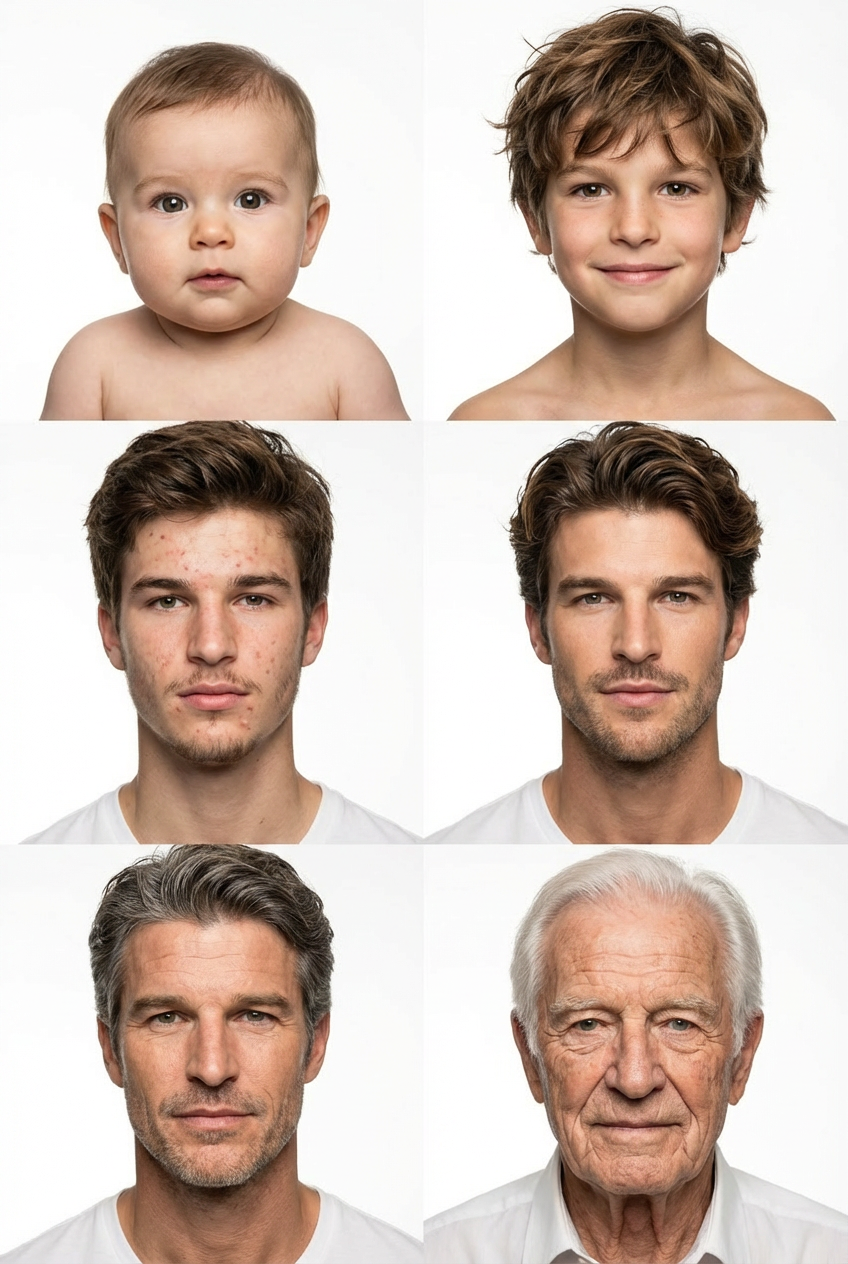
See yourself at six ages in one photo
Transform your photos into creative scenes and cinematic moments.
AI Photobooth · Age Transformation
Upload a portrait and the AI draws you as a baby, a child, a teen, a young adult, middle aged and elderly, side by side in one grid.
Age Transformation is an age filter that turns one photo of you into one image: a 2x3 grid, two columns and three rows, with no borders between the cells. The top row shows you as a baby and as a child around age 8. The middle row shows you around 16 and around 25. The bottom row shows you around 50 and around 80. The template asks an image editing model (Nano Banana 2) to keep your face recognizable in every cell, give each one age appropriate features, and use the same studio lighting on a white background. It is a single grid image you can save and share, so you see yourself younger and older at the same time instead of moving a slider.
Examples
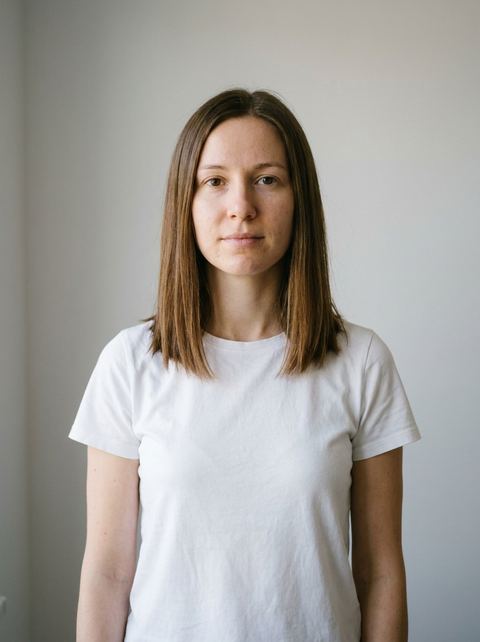
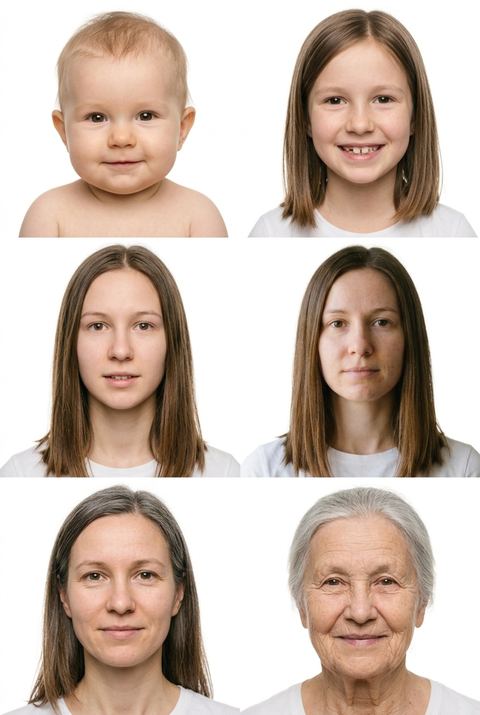
“A 2x3 grid of the subject at different ages: a baby, about 8, 16, 25, 50 and 80.”
Try it on your own photo ↑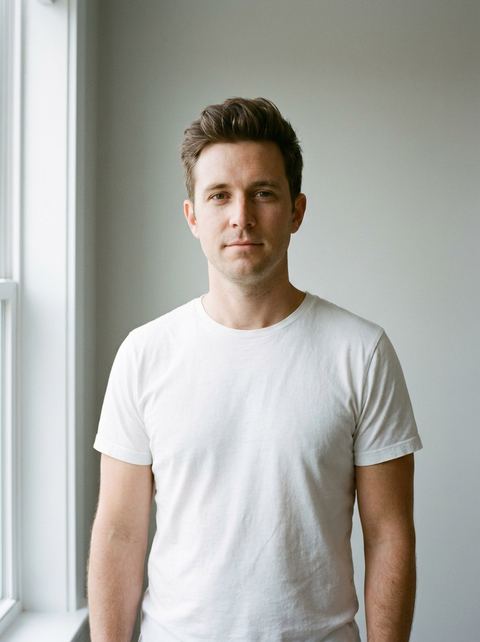
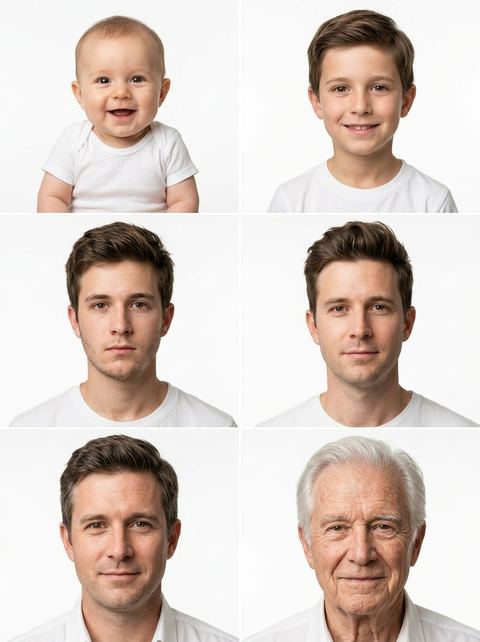
“A 2x3 grid of the subject at different ages: a baby, about 8, 16, 25, 50 and 80.”
Try it on your own photo ↑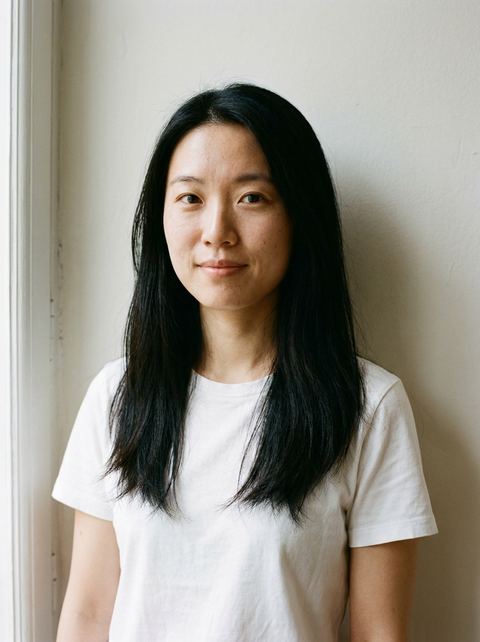
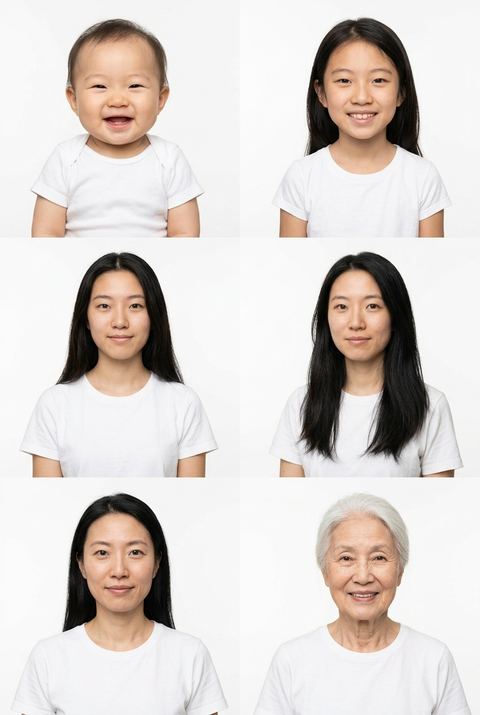
“A 2x3 grid of the subject at different ages: a baby, about 8, 16, 25, 50 and 80.”
Try it on your own photo ↑
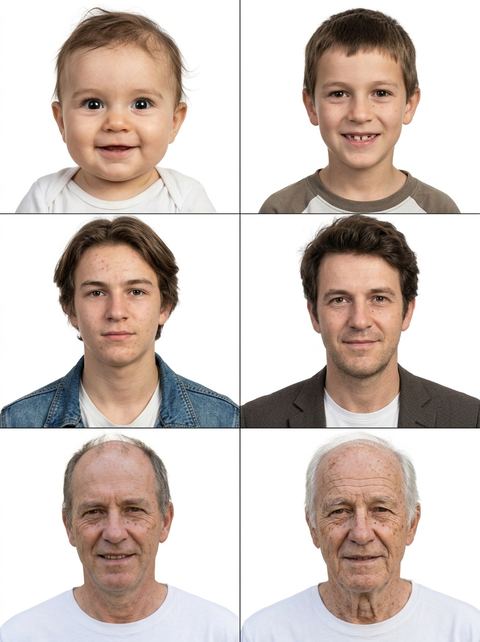
“A 2x3 grid of the subject at different ages: a baby, about 8, 16, 25, 50 and 80.”
Try it on your own photo ↑What it does
Six ages in one picture
Baby, about 8, about 16, about 25, about 50 and about 80, laid out in order from top left to bottom right. One generation gives you the whole timeline, which makes it easy to post or send as one image.
Your face carried through every cell
The template tells the model to keep your facial identity across the grid, so the 80 year old and the baby should both read as you. It is AI, so the likeness varies from cell to cell and from run to run.
Clean studio look
Every cell is a portrait on a white studio background with matching light. Your original background and outfit are not kept; the grid is built to compare faces, not scenes.
How it works
- 1
Upload a clear photo of your face
Drop in or browse for a photo where your face is well lit, facing the camera and not covered by sunglasses or a hat. Signed in, you can also pick an image from your recent generations.
- 2
Pick a ratio
Leave the aspect ratio on Auto to follow your photo, or choose one such as 1:1, 2:3 or 4:5. A taller ratio gives each of the six portraits a bit more room.
- 3
Generate and open the result
The price shows on the Generate button, and you sign in at that point if you have not yet. The grid then opens in your image history on the create page, where you can download it.
Who it's for
Curious what you will look like at 80
The question behind most aging photo searches. The bottom right cell answers it, with your younger selves in the same image for comparison.
Birthdays and milestones
A grid of the same face from baby to old age is a fun card for a 30th, 50th or retirement party. Use a recent, sharp photo of the person celebrating, with their permission.
Social posts and challenges
The six panel layout is made for a single post. Run it on a few different photos and keep the grid where the likeness holds best.
More to try


Frequently asked questions
What does the age filter actually make?
One image: a 2x3 grid of the person in your photo as a baby, then around 8, 16, 25, 50 and 80. It is not a slider or a video, and you cannot pick a single age; all six come together in the same picture.
Can I see myself older or younger only?
The template always draws both. The top four cells cover baby to about 25, and the bottom row covers about 50 and about 80, so you get your younger and older looks side by side.
Is the aging accurate?
No AI can predict how a specific person will age. The model imagines plausible features for each age while trying to keep your face recognizable, so treat the grid as entertainment. Results vary between runs.
Does it keep my background?
No. The prompt asks for studio portraits on a white background with consistent lighting, so the original scene is replaced in every cell.
What photo works best?
A single person, face toward the camera, good light, nothing covering the eyes. Group photos and side profiles make it harder for the model to keep the likeness.
How much does it cost?
Each generation costs credits, and the exact price shows on the Generate button before you run it. You need to be signed in to generate.
Try it on your own photo
The tool is at the top of this page. The price shows on the button before you start.
Back to the tool