

Move your photo into a five-star hotel lobby
Change your photo backgrounds.
AI Backgrounds · Hotel Lobby
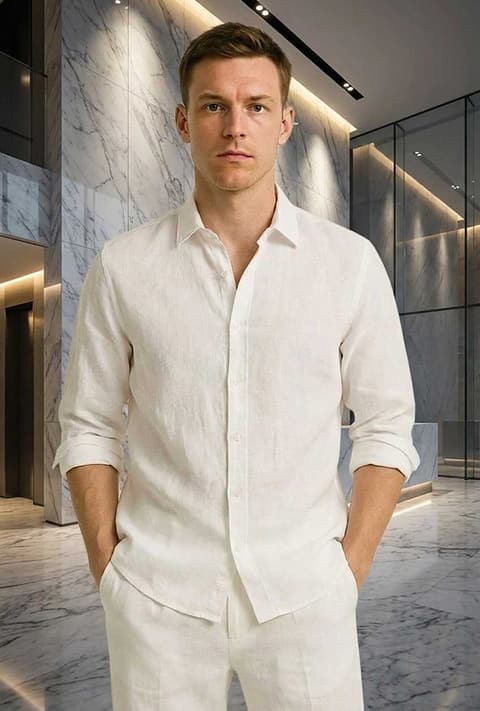
Same you, same outfit, with a marble-floored luxury lobby behind you and the background softly out of focus.
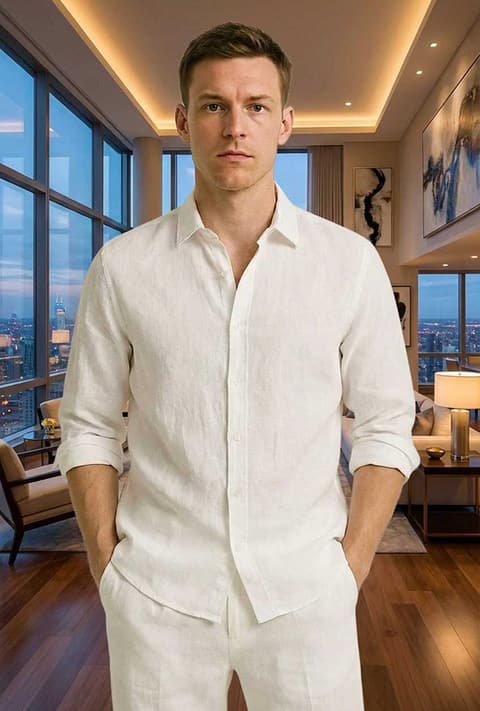
A hotel lobby is a classic backdrop for a polished, travel-ready photo, but you rarely have one to hand when you need the picture. This page runs one background template, Hotel Lobby, on a photo you upload. The instruction sent to the image model (Nano Banana 2) asks for a "five-star hotel lobby with marble floors and elegant furniture background, camera focus blur for the background". The person in your photo stays in front, and what is behind them becomes a softly blurred lobby, the way a portrait lens would render it. It sits with the other luxury backgrounds in AI Backgrounds, next to Marble Lobby, Penthouse and Executive Room.
What it does
Portrait-style blur
The instruction asks for camera focus blur on the background, so the lobby reads as a setting rather than competing with you. That is what makes it look like a photo taken there and not a cut-out on a poster.
You stay as you are
Only the background is swapped. The model aims to keep your face, hair, pose and clothes, so a picture taken at home can become a lobby shot without a new outfit.
Easy to try other settings
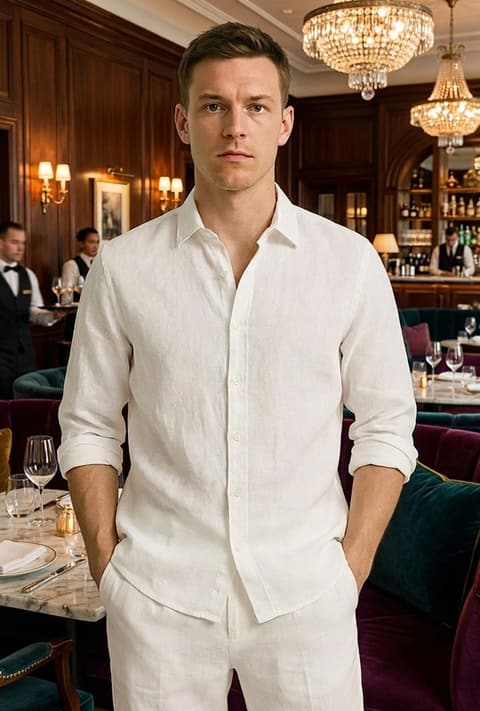
If the lobby is not quite right, run the same photo through Marble Lobby, Penthouse or Luxury Restaurant and compare the results side by side in your history.
How it works
- 1
Upload a photo of yourself
Choose a clear picture where you are well separated from what is behind you. If you are signed in, you can reuse an image from your recent generations.
- 2
Pick the frame
Leave the ratio on Auto to keep the shape of your photo, or pick a fixed ratio for a vertical post or a square profile picture.
- 3
Generate
Press Generate, which shows the price and asks you to sign in if needed. The new photo opens in your Create Image history.
Who it's for
Social and travel posts
Make a cover photo or a post with a premium, travel-ready feel without booking a stay just for the picture.
Professional profiles
A hotel lobby is a neutral, upscale setting that works for LinkedIn, speaker bios and business directories.
Covers and thumbnails
Creators use the lobby as a clean, recognisable backdrop for video thumbnails and highlight covers.
More to try

Frequently asked questions
How do I put a hotel lobby background on my photo?
Upload your photo on this page and press Generate. The template asks the image model for a five-star hotel lobby with marble floors and elegant furniture, blurred behind you.
Will my outfit or face change?
The template only describes the background, so your face, hair and clothes are meant to stay the same. Small details can vary between results since it is AI; generating again gives another version.
Can I choose a specific hotel?
No. The template produces a generic luxury lobby, not a real, named hotel. For other settings try Marble Lobby, Penthouse or Executive Room.
Does it work on group photos?
It can, but the clearer each person is against the original background, the cleaner the result. Busy scenes with people overlapping are harder.
What photo works best?
A sharp, evenly lit photo where you take up a good part of the frame. Waist-up and full-length shots both work.
Is the background blurred on purpose?
Yes. The instruction asks for camera focus blur, which keeps the attention on you and makes the result look like a real portrait.
Try it on your own photo
The tool is at the top of this page. The price shows on the button before you start.
Back to the tool