

Turn a photo of two people into a hug video
Warm hug animation.
Video Effects · Hug
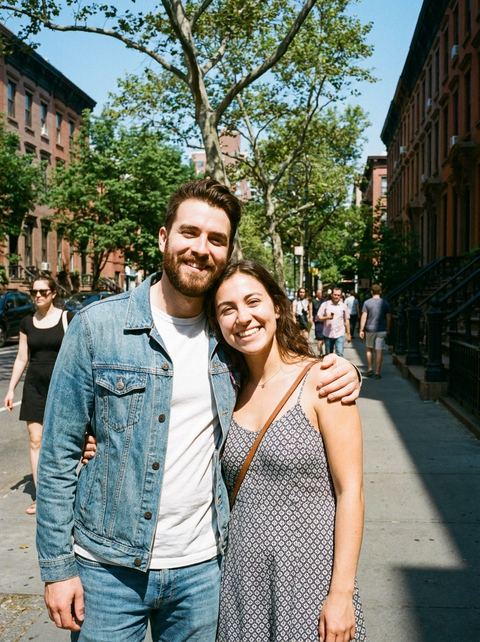
Upload a picture with both people in the frame, and the AI animates them turning toward each other and hugging.
Hug is an AI hug video effect that starts from one still photo. The photo needs two people already in it, standing or sitting near each other. The effect runs on PixVerse's video effects model and animates the scene: the two people turn toward each other and wrap their arms around each other in a hug. You do not write a prompt; the template carries it. It works for couples, friends, siblings and family, and for an older photo of two relatives where a moving version feels like a small keepsake. It cannot merge two separate photos, so both people have to share the frame from the start.
Examples

What it does
One photo in, one hug video out
Upload a single image with two people and the effect produces a short clip of them turning to each other and hugging. The video follows the shape of your photo.
Motion from a still
Faces, clothes and the setting come from your picture, and the model adds the movement. It is AI, so the motion, hands and faces can vary from run to run.
Works on older photos too
A scanned print of grandparents or two cousins can be animated the same way, as long as both people are clearly visible and facing roughly toward the camera.
How it works
- 1
Choose a photo with both people in it
Pick a picture where the two people are close together, well lit and fully in frame from about the waist up. Signed in, you can also reuse an image from your recent generations.
- 2
Upload and generate
Drop in the photo and press Generate. The price shows on the button, and you sign in at that point if you have not yet.
- 3
Watch it in your video history
The page hands the photo to the video creator, where the clip appears in your History as it renders. Download it from there when it is done.
Who it's for
Couples
Turn a favorite photo of the two of you into a short clip for an anniversary message or a story.
Friends and family
A picture of best friends, siblings or a parent and child becomes a moment you can send in a group chat.
Old family photos
Bring a little motion to a photo of two relatives together, as a keepsake to share with the rest of the family.
More to try


Frequently asked questions
Can I make two people from different photos hug?
No. The effect animates the photo you upload, so both people need to be in the same picture. It does not combine separate images.
What kind of photo works best?
Two people side by side, close together, well lit, with faces and upper bodies visible. Crowded group shots or people far apart give the model less to work with.
Do I need to write a prompt?
No. The Hug template supplies the instruction to PixVerse's effects model. You only upload the photo.
Will the people look exactly like the photo?
The video starts from your photo, so the look comes from it, but movement is generated by AI. Faces and hands can shift during the hug, and results vary between runs.
Whose photos should I use?
Photos of you and people who are happy to be animated. Use pictures you have the right to share, and ask the people in them before posting the video.
How much does it cost?
Each video costs credits, and the exact price shows on the Generate button before you run it. You need to be signed in to generate.
Try it on your own photo
The tool is at the top of this page. The price shows on the button before you start.
Back to the tool