Video tool · Veo, Sora, Kling & more
AI Video Generator
Every flagship video model in one editor — write the shot, pick the model, and keep the best take.
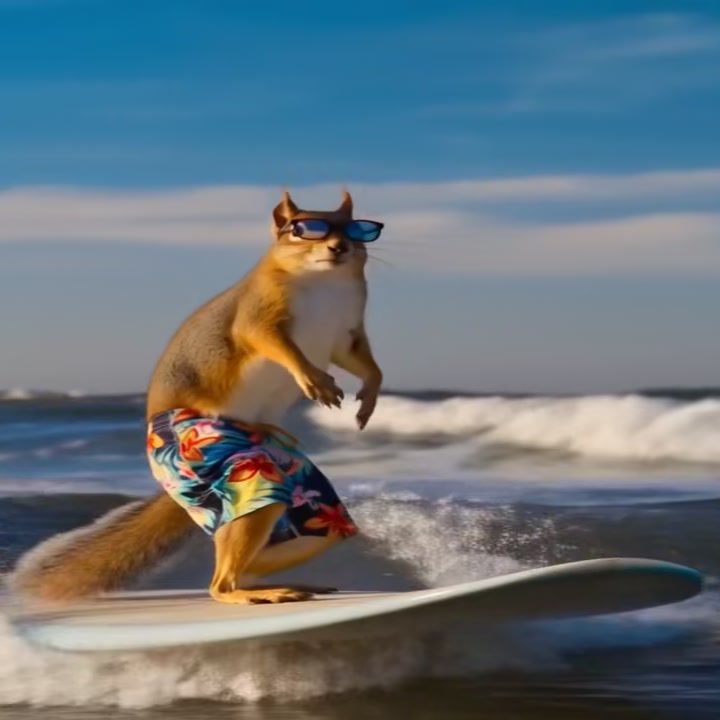
The best AI video model changes every few weeks — Veo for directed camera work, Sora for physical realism, Kling for multi-shot scenes. AI Canvas puts all of them behind one prompt box with one credit balance, so your workflow doesn't reset every time the leaderboard does. Generate from text, animate an image, and finish the clip with captions, upscaling, and translation without leaving the app.
Why this video tool
The whole frontier, one editor
Veo 3.1, Sora 2 Pro, Kling v3, Seedance, Wan, Grok Imagine and more — switch models per shot instead of per subscription. Same prompt, different director.
Native audio and real camera language
The flagship models generate dialogue, ambience, and effects with the picture, and follow shot vocabulary — orbit, dolly, rack focus — like a camera operator.
A finishing suite, not just a generator
Upscale to 4K, burn in captions, translate speech, extend shots, swap faces, or remove backgrounds — every video tool shares the same library as the generator.
How it works
- 1
Write the shot or drop a frame
Describe the scene like a shot list — subject, action, camera, sound. Or upload an image and direct what happens next with image-to-video.
- 2
Pick the model for the job
Directed camera work → Veo. Physical realism → Sora. Multi-shot storytelling → Kling. The picker shows each model's strengths, lengths, and credit cost before you run.
- 3
Generate, compare, finish
Clips land in your library in minutes. Rerun the prompt on a second model to compare, then caption, upscale, or extend the keeper.
Who it's for
For short-form creators
Vertical clips with generated sound, ready for TikTok, Reels, and Shorts. Hooks with spoken lines, reveals with real cuts — no editing app needed.
For marketing teams
Concept ads and product spots in hours. A/B the same script across Veo and Sora, and iterate by editing a sentence instead of reshooting.
For filmmakers
Previsualize scenes with real camera moves and temp dialogue, then re-shoot hero moments at 4K once the sequence works.
More tools to try

Frequently asked questions
Is the AI video generator free to try?
Yes — new accounts get free credits that work on every model, with no subscription. After that you pay per clip in credits, shown before you generate.
Which video models are available?
Veo 3.1 (plus Fast and Lite), Sora 2 and Sora 2 Pro, Kling v3 and earlier Kling versions, Seedance 2.0, Wan 2.6, Grok Imagine, PixVerse, Hailuo and more — 25+ video models, all in the same editor.
Do the videos include sound?
The flagship models (Veo 3.1, Sora 2, Kling v3) generate audio natively — dialogue, ambience, and effects in sync with the picture. Audio can be toggled off to save credits where supported.
How long and what quality can clips be?
Depending on the model: 4 to 12 seconds per generation, at up to 4K. Clips can be extended by using the last frame as the start of the next shot.
Can I turn a photo into a video?
Yes — image-to-video is supported by every flagship model. Upload the frame, describe the motion and sound, and the still keeps its identity while it moves.
Can I use the videos commercially?
Yes — everything you generate is yours to use commercially: ads, client work, and monetized content, with no watermark.
Try the AI Video Generator now
Free credits on signup — no subscription, pay only for what you generate.
Open Create Video