Image tool · one step, no settings
Remove the background from any image
Upload a photo, press Generate, and get the subject back on a transparent background.
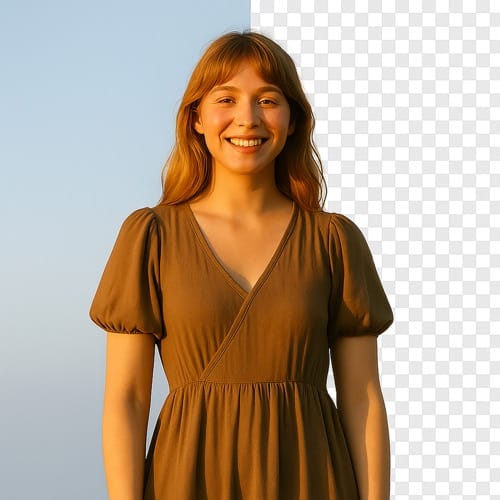
Remove BG does one job. It finds the main subject in your photo, keeps it, and deletes everything behind it, so the result has a transparent background you can drop onto a slide, a listing or a design. There are no sliders or brushes to set; the cutout runs on 851 Labs' background remover model. It is AI, so fine edges such as hair, fur, glass and lace are where results vary most, and a busy photo with several people can keep more or less than you meant.
Examples
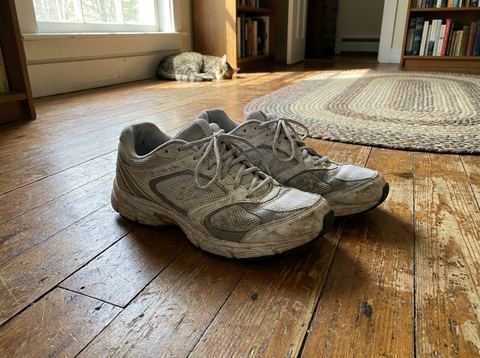
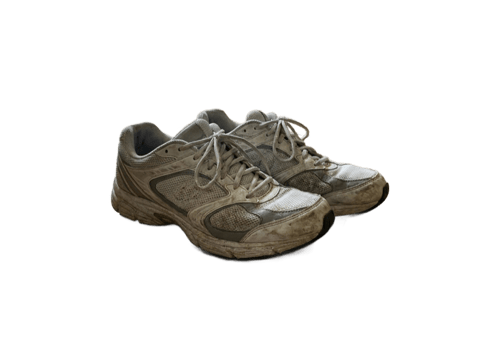
“Cut out a pair of sneakers photographed on a wooden floor so they sit on a transparent background for a store listing”
Try it on your own photo ↑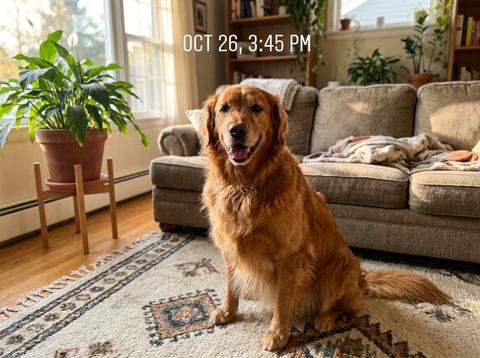
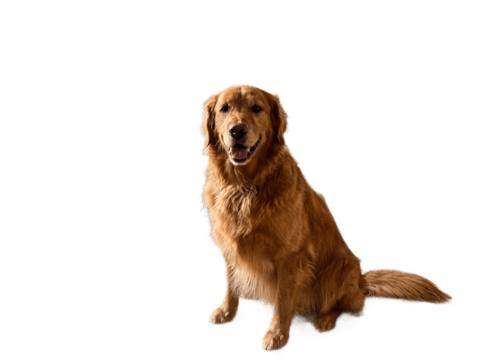
“Remove the living room behind a photo of a golden retriever to make a cutout for a sticker sheet”
Try it on your own photo ↑Why this image tool
One input, one cutout
Add a single image and press Generate. There is nothing to configure, which keeps it quick when you have a batch of product shots to clear one after another.
Reuse what you already made
Signed in, your earlier images sit in the rail on the left. Pick one to cut out without downloading and uploading it again, including images you generated or edited in AI Canvas.
The cutout feeds the next tool
Results land in the image workspace History. From there, upscale the cutout, place it in a mockup, or open Change BG when you want a new scene instead of transparency.
How it works
- 1
Choose the photo
Drop an image onto the upload card or click to pick one. A subject with clear edges against a different colored background gives the cleanest cut.
- 2
Press Generate
Sign in if asked. The image uploads and you move to the image workspace, where the job appears in History with a loading placeholder.
- 3
Check the edges and download
Zoom in on hair and corners. If part of the subject was trimmed, run it again or try a photo with more contrast between subject and background.
Who it's for
For online sellers
Clear a product photo shot on a kitchen table so it sits on the white or colored canvas a marketplace listing expects, then upscale it if the original was small.
For designers and slide makers
Cut a speaker, a logo photo or an object out for a deck, a flyer or a thumbnail, and layer it over your own color or texture in whatever editor you use.
For sticker and avatar makers
Turn a photo of a pet or a friend into a cutout for a sticker sheet, a profile picture frame or a group chat image.
More to try


Frequently asked questions
What do I get back?
An image of your subject with the background removed and left transparent. It appears in your History in the image workspace, where you can download it.
Can I put a new background behind the subject?
Not on this page. Change BG replaces the background with one of 48 preset scenes or a background you describe in your own words.
How well does it handle hair and fur?
It handles clear portraits and pets well in most cases, but loose hair, fur and see-through materials are the hardest parts of any cutout. Expect to rerun or pick a sharper photo for those.
Can I choose which object to keep?
No. The model decides what the main subject is. To remove a specific object or person instead, use Erase or Remove People.
Do I need an account?
Yes, you need to be signed in before it runs. The price for one cutout shows on the Generate button.
Try it on your own photo
Pay only for what you generate. The price shows on the button before you start.
Upload a photo