Image tool · 48 presets plus Custom
AI Background Changer for any photo
Upload a photo, then pick a ready-made scene or describe the background you want in your own words.
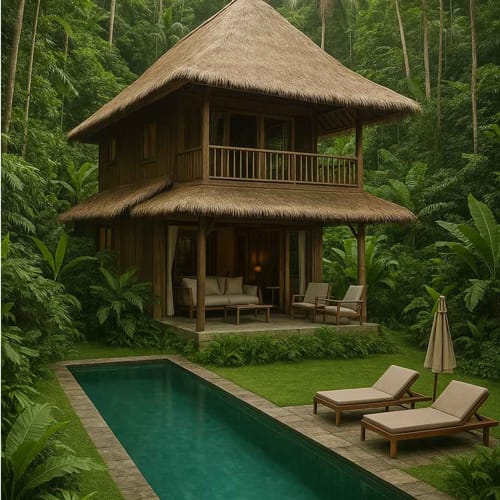
Change BG replaces what is behind your subject and leaves the subject in place. You can start from the same 48 scenes as our background effects, grouped into Luxury, Studio, Travel, Urban, Sport and Creative, or open Custom and write the background yourself: a sunlit kitchen counter, a foggy pier, a plain warm gray wall. Your photo and that description go to a model made for background replacement. The new image is AI generated, so edges, lighting and shadows can come out differently from one run to the next.
Examples
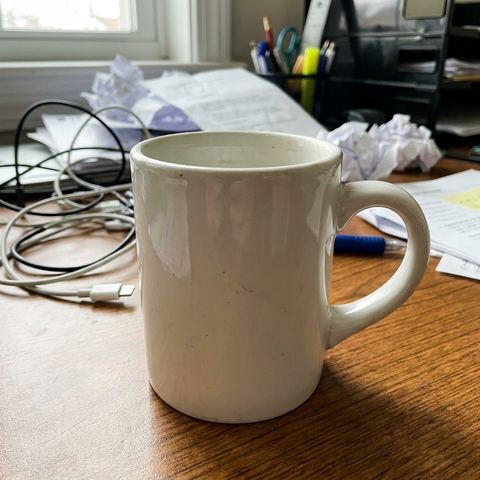
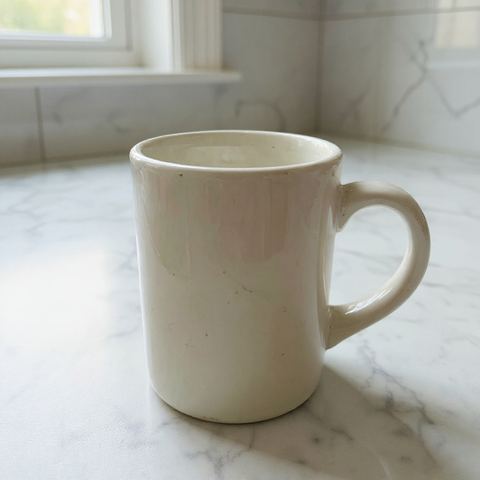
“Move a ceramic mug photographed on a messy desk onto a white marble kitchen counter with soft morning window light”
Try it on your own photo ↑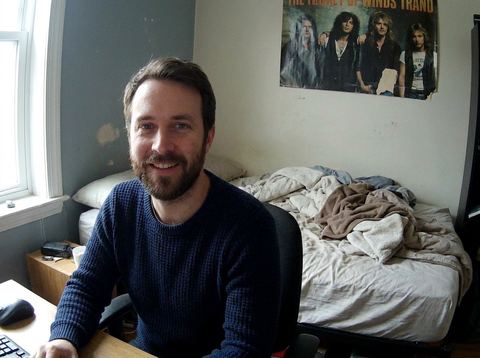

“Swap the bedroom wall behind a webcam headshot for the Studio Navy preset before it goes on a speaker page”
Try it on your own photo ↑Why this image tool
A Custom box for any scene
Under the All tab, the Custom card opens a text field where you describe the background. Write it like a set brief, for example soft neutral studio backdrop with warm light from the left, and press Apply.
48 presets when you want speed
Thirteen solid studio colors from Studio White to Studio Olive, plus scenes such as Classic Library, Wine Cellar, Tokyo Neon, Santorini, Ski Resort, Tennis Court and LED Wall. Use the category tabs to narrow the grid.
Results stay on this page
Each finished image is added to the history rail on the left. Open it to download, or use it as the input for the next background so you can try several scenes from one upload.
How it works
- 1
Upload the photo
Drop a file onto the upload card or click to choose one. A photo where the subject is clearly separated from the background gives the model the cleanest start.
- 2
Choose a scene or write one
Tap a preset, or stay on All and pick Custom to type your own background. Keep the description about the background only; the subject is meant to stay as it is.
- 3
Apply and compare
Sign in if asked, then apply. The price shows on the button first. When the image arrives in the rail, run another scene on the same photo and keep the one you like.
Who it's for
For product listings
Move a mug shot on a cluttered desk onto a marble counter, a linen tablecloth or a plain studio color with Custom. Write the surface and the light, since those are what a buyer notices.
For people and profile photos
Put a selfie in front of Studio Navy for a resume, or in Hotel Lobby for a LinkedIn banner. Several presets, including Hotel Lobby and NY Rooftop, ask for a softly blurred backdrop.
For mockups and pitches
Show a concept in context by typing the setting a client cares about, such as a shopfront window on a rainy street, instead of searching stock sites for a matching backdrop.
More to try


Frequently asked questions
How is this different from the Background effects page?
The Background effects page offers the same 48 scenes as fixed presets and runs on Nano Banana 2. Change BG adds the Custom option for typing your own background and runs on a dedicated background replacement model.
Can I make the background transparent?
No. Change BG always paints a new background. For a transparent cutout, use Remove BG.
Does it change my face or the product?
The model is asked to change only the background, and it aims to keep the subject as it was. It is AI, so small changes to edges, hair or reflections can happen. Rerun if something looks off.
Is this for Zoom or Teams backgrounds?
No. It edits a still photo you upload and returns a new image. It does not change a live video call background.
How do I write a good custom background?
Name the place, the surface and the light: weathered oak table by a window with soft morning light. Short and concrete descriptions tend to work better than long lists of adjectives.
How much does it cost?
Each run is priced per image, and the exact price shows on the button before you apply. You need to be signed in to generate.
Try it on your own photo
Pay only for what you generate. The price shows on the button before you start.
Upload a photo