
Clothing
Clothing effect · 146 outfits on Nano Banana 2
AI Clothes Changer
Upload one photo of yourself, tap an outfit, and get the same photo back with you wearing it.


The Clothing effect is an AI outfit changer built on presets. Each of its 146 outfits is a written styling brief, from a Charcoal Three Piece with a burgundy tie to an Emerald Dress with diamond studs, and Nano Banana 2 redraws the clothes in your photo to match it while aiming to keep your face as it is. There are 72 menswear and 74 womenswear looks, sorted into Suits, Blazers, Dresses, Blouses, Sweaters, Coats, Jackets, Shirts & Polos and Sport. You only need one photo. If you already have a picture of a specific outfit you want to copy, use Change Outfit instead, which takes your photo plus a photo of the outfit.
Examples

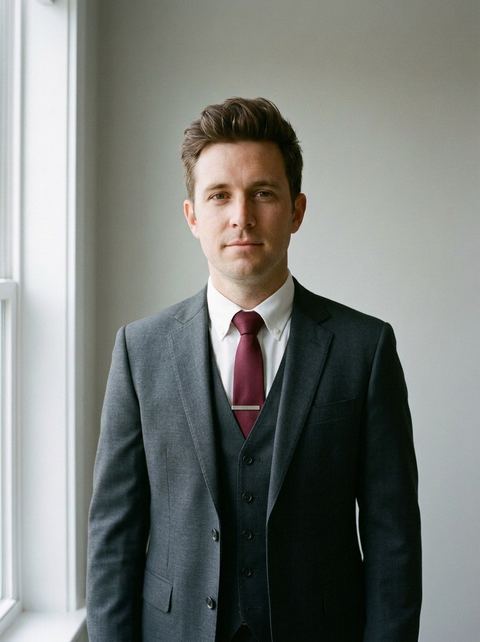
“charcoal three-piece suit with white shirt and burgundy tie”
Try this style →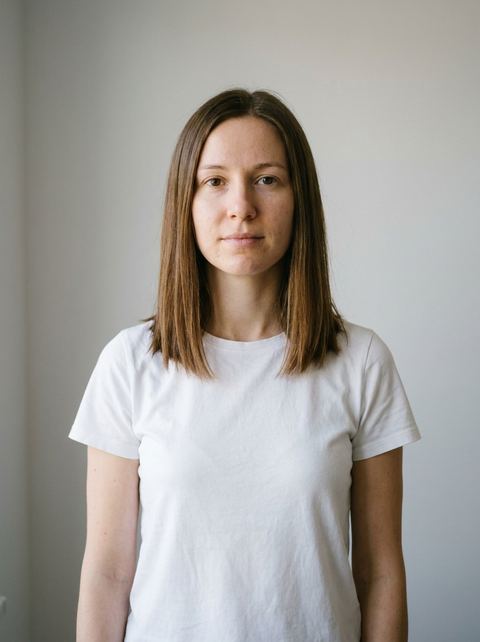
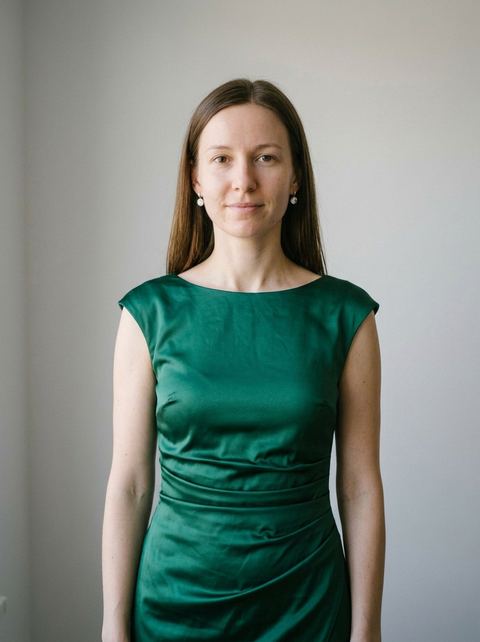
“emerald green midi cocktail dress with subtle ruching, paired with diamond studs”
Try this style → 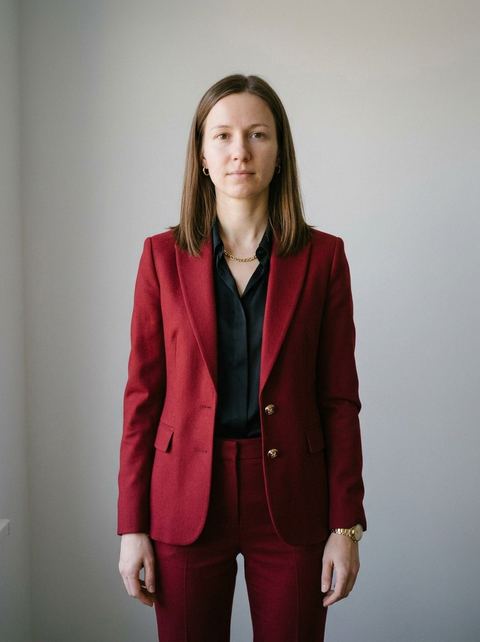
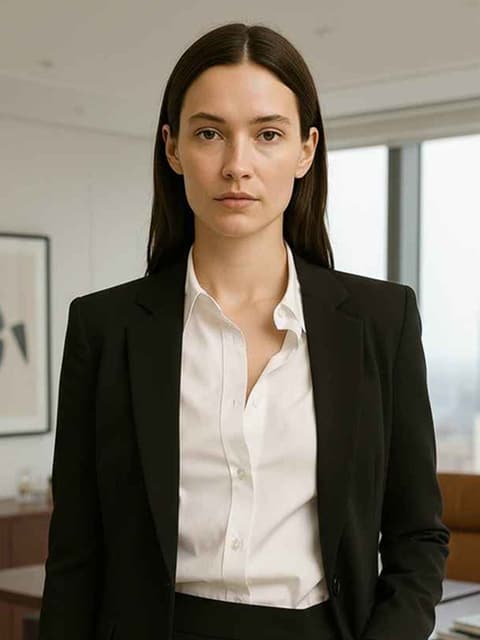
“deep red tailored suit with black blouse, matching trousers and gold accents”
Try this style → 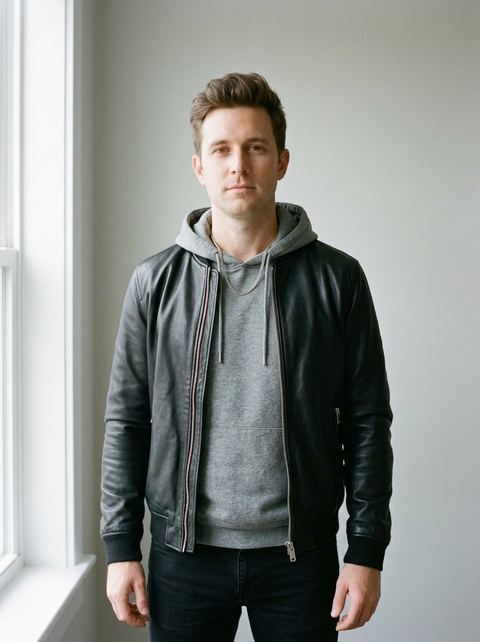
“black leather bomber jacket over gray hoodie, black jeans and silver chain”
Try this style →What the clothing styles do
146 outfits in nine sub-categories
Suits is the deepest rack: 23 for men, from Navy Suit to Peacock Suit, and 15 for women, including the Red Power Suit and Ivory Suit. Women also get 19 dresses and 12 blouses; men get 19 blazers and 10 sweaters. The chips above the grid filter by sub-category.
Each preset is a full outfit
Presets describe the whole look. The Cream Blazer pairs a linen blazer with a navy shirt and white trousers, the Camel Coat goes over a black turtleneck, and most womenswear looks add matching jewelry.
Built to keep your likeness
The effect is tuned for facial resemblance: it changes the clothing and keeps pose changes minimal. Choose Auto (keeps your photo's shape), 1:1, 16:9, 9:16, 3:4 or 4:3. Each run returns one image, and because it is AI, two runs of the same outfit can come out differently.
How it works
- 1
Pick an outfit
Open a sub-category such as Blazers or Dresses and tap a card. Men's and women's versions share some names, like Beige Blazer, so go by the preview photo.
- 2
Upload a clear photo
Drop in an image file or reuse a recent generation from your history. A well-lit photo with your face visible works best; a covered face, a blurry shot or a photo taken too close or too far tends to distort.
- 3
Generate and compare
Pick an aspect ratio, sign in if asked, and press Generate. The price shows on the button before you run it. The result lands in your Create Image history, so you can try a second outfit on the same photo.
Who it's for
For work and profile photos
Turn a casual photo into a Navy Pantsuit or a Charcoal Three Piece for a LinkedIn picture, then compare it with a Smart Casual or White Shirt Euro look before you pick one.
For deciding what to wear
Before a gala, a wedding you are attending or an interview, see a Black Tuxedo, an Evening Gown or a Charcoal Dress on yourself. It is a styling preview from a photo, so real fit and fabric will differ.
For creators
Run one photo through a Leather Bomber, a Camel Coat and a Tennis Outfit to get a set of looks for a carousel or a before and after post.
More to try

Frequently asked questions
How does the AI clothes changer work?
You upload one photo and pick a preset. Each preset is a written outfit description, and Nano Banana 2 edits your photo so you appear to be wearing it. Results are AI generated and vary between runs.
What is the difference between Clothing and Change Outfit?
Clothing uses the 146 ready-made outfits on this page and needs only your photo. Change Outfit, in Tools, takes two images: your photo and a photo of the outfit you want to copy, such as a dress from a store page. Use Change Outfit when you have a specific piece in mind.
Can I try on a suit or a wedding dress?
The Suits category has 38 presets, including the Black Tuxedo, Charcoal Three Piece and Black Pantsuit, and Dresses has 19 evening, cocktail and day looks. There is no wedding dress preset; for that, use Change Outfit with a photo of the dress you like.
Are there outfits for men and women?
Yes: 72 menswear and 74 womenswear presets share one grid. Some names exist in both, such as Beige Blazer, Camel Coat and Tennis Outfit, each with its own preview. Dresses and Blouses are womenswear only; Jackets and Shirts & Polos are menswear only.
What kind of photo works best?
One person, face clearly visible, good light, and a sharp image. Frame it for the outfit you picked: a waist-up shot shows a blazer, a full-length one shows a gown. A hidden face or a low-quality photo lowers the quality of the result.
How much does it cost?
Each outfit is priced per generation, and the exact price is on the Generate button before you run it. You need to be signed in to generate.
Pick a style and try it on your photo
Choose any of the 146 styles above, upload a photo, and generate. The price shows on the button before you start.
Browse the styles