
Hair Color
Hair Color · 32 shades for men and women
Try on a new hair color before you dye it
Upload a photo of yourself, tap a shade, and the AI recolors your hair while leaving the rest of the picture alone.


Hair Color is a set of 32 shade templates you apply to a photo of yourself: 16 in the women's set and 16 in the men's. Each one tells an image editing model (Nano Banana 2) to change only the color of your hair, so your cut, face and background stay as they were. It covers natural shades like Natural Black, Dark Chocolate Brown and Caramel Brown, nine blondes from Sandy and Dirty Blonde to Platinum and Strawberry Blonde, and fashion colors like Rose Gold, Lavender Purple and Mint Green. Use it to check a color with your skin tone and eyebrows before a salon visit, or just to see what platinum would look like on you.
Examples
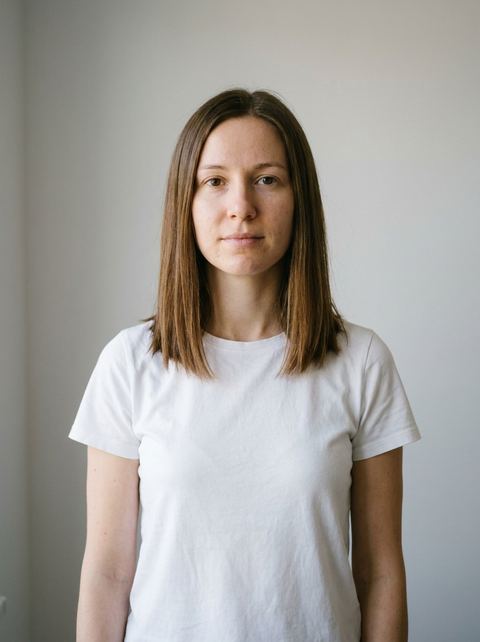
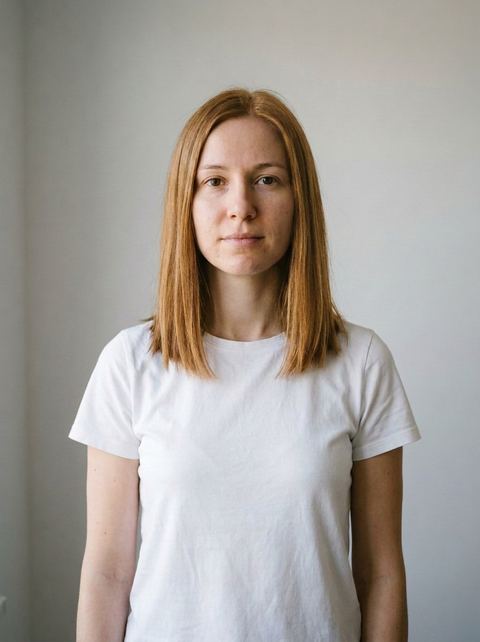
“make her hair color Honey Blonde”
Try this style →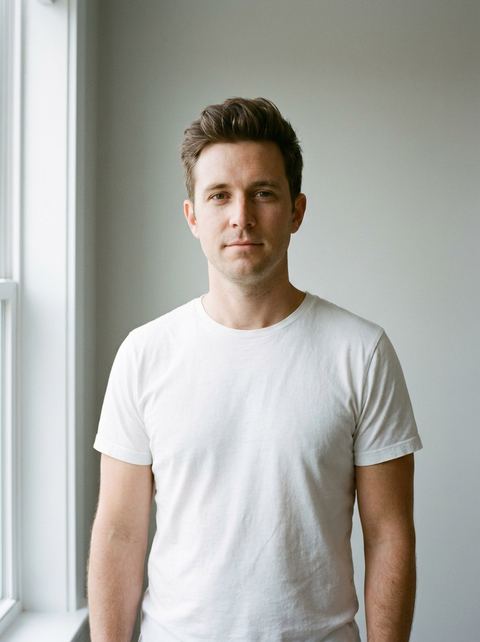
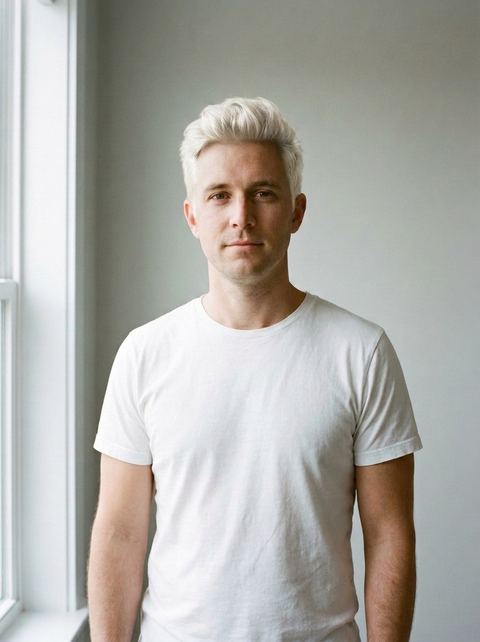
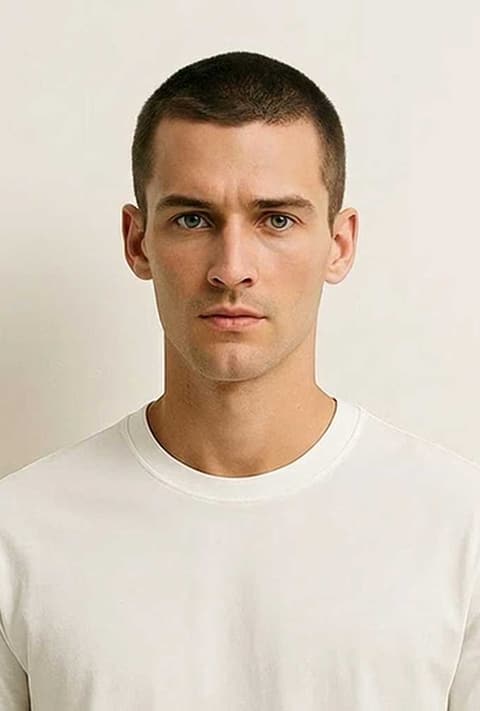
“make his hair color Platinum Blonde”
Try this style → 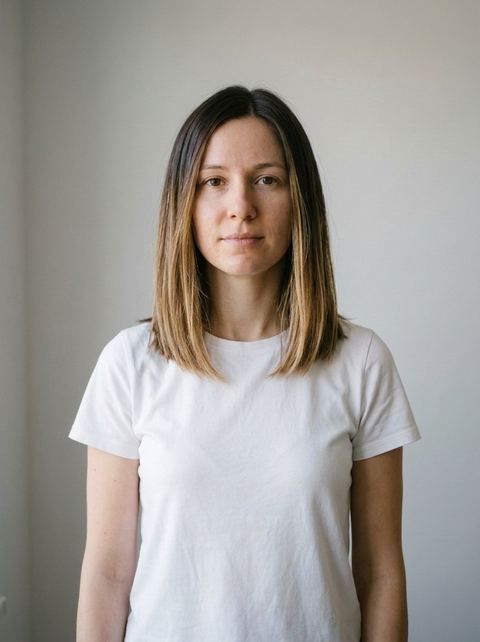
“make her hair color Balayage (dark to light)”
Try this style → 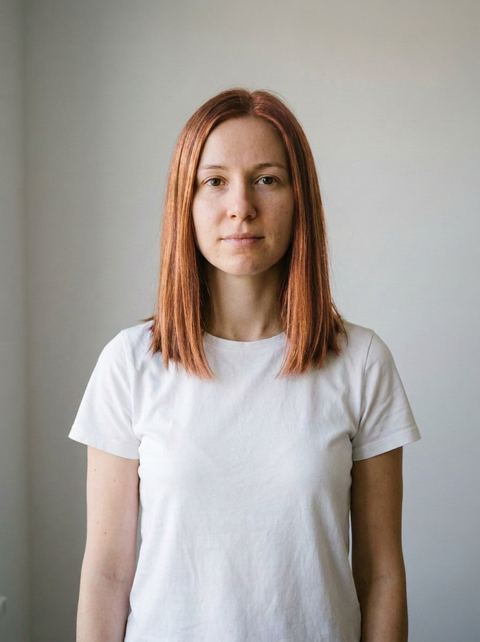
“make her hair color Rose Gold”
Try this style →What the hair color styles do
Nine blondes, side by side
The women's set has Ash, Honey, Natural, Platinum and Strawberry Blonde. The men's set has Dirty, Natural, Platinum and Sandy Blonde. Run a few on the same photo and compare a warm honey against a cool ash on your actual face, which is the part a color swatch can't show you.
Salon colors and fashion colors
Beyond blonde there is Balayage (dark to light), Auburn/Copper Red, Rose Gold and Silver/Grey for women, and Jet Black, Ash Brown, Highlighted Brown and Auburn/Ginger for men. Both sets share Pastel Pink, Lavender Purple, Electric Blue and Mint Green if you want to test something bolder.
Your cut stays, only the color moves
The templates only ask for a color change, so your length and style should carry over. If you also want a new cut, the Hairstyles effects do that, and Hair Retouch handles smaller fixes like frizz, volume or a dye job that went wrong.
How it works
- 1
Pick a shade in the grid
Open a template such as Honey Blonde or Platinum Blonde. The grid shows the men's shades first and the women's after them; pick a shade from the set that matches the photo you will upload.
- 2
Upload a clear photo of your hair
Drop in or browse for a well lit photo where your face and hair are both visible and not covered by a hat or hood. Signed in, you can also reuse an image from your recent generations.
- 3
Choose a ratio and generate
Leave the aspect ratio on Auto to follow your photo, or pick one like 4:5 or 9:16. The price shows on the Generate button, and you sign in at that point if you haven't yet.
Who it's for
Before a salon appointment
Bring the stylist a picture of you in Caramel Brown or Balayage instead of a stranger's photo, so you agree on the target before any bleach goes on.
Going blonde or going grey
Two of the most common big changes. Compare Platinum and Ash Blonde, or try Silver/Grey to see how growing out natural grey might look.
Testing a bold color
Pastel Pink, Electric Blue or Mint Green is a big commitment in real life. A few test images on your own face are an easy way to decide.
More to try
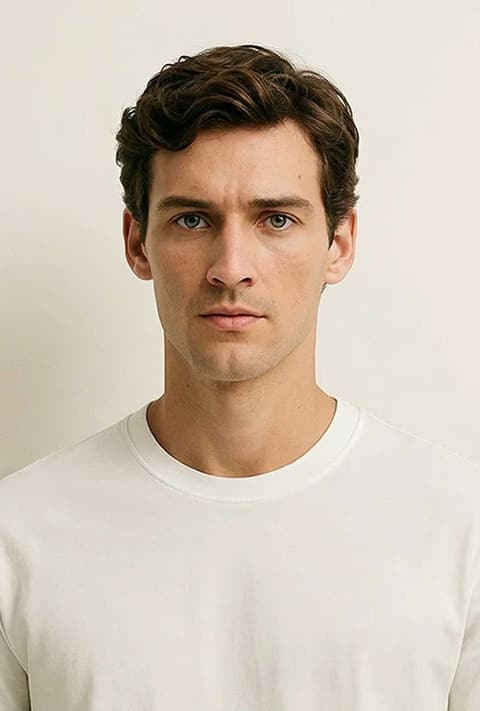

Frequently asked questions
Can I try a hair color on my own photo?
Yes, that is the only way it works. You upload a photo of yourself and the template recolors the hair in that photo. Clear, well lit photos where your hair isn't covered give the best results.
Is there a blonde hair filter?
There are nine blonde templates: Ash, Honey, Natural, Platinum and Strawberry Blonde in the women's set, and Dirty, Natural, Platinum and Sandy Blonde in the men's set. Each one is a separate template you can run on the same photo.
Does it work for men?
Yes. The men's set has 16 shades, including Jet Black, Ash Brown, Highlighted Brown, Sandy Blonde and Silver/Grey, plus the same four fashion colors as the women's set.
Will it change my face or my haircut?
The templates only ask for a hair color change, and the model aims to keep your face, cut and background as they are. It is AI, so results vary: it can also shift the texture or shine of your hair, and a lighter shade may look slightly different from what a colorist would get.
What size will the result be?
On Auto, the result follows the shape of the photo you uploaded. You can instead pick a fixed ratio such as 1:1, 4:5, 3:4 or 9:16 before you generate.
How much does it cost?
Each generation costs credits, and the exact price shows on the Generate button before you run it. You need to be signed in to generate.
Pick a style and try it on your photo
Choose any of the 32 styles above, upload a photo, and generate. The price shows on the button before you start.
Browse the styles