
AI Flyer Generator
 Logo
 Poster
 Instagram Post
 Instagram Story
 T-Shirt
 Branding
 Card & Invite
 Flyer
 Infographic
 Design Mockup
 Sticker
 Icon
 Wallpaper
 Pattern
 Book Cover
 Album Cover
 Meme
 Emoji
 Tattoo
 Signature
 Slide
 YouTube Thumbnail
No flyer templates available
Design tool · Flyers
Write what the flyer announces, attach a logo or photo if you have one, and get complete flyer designs back to choose from.
Most flyer makers start you on a template and leave the layout work to you. This one starts from a sentence: you describe the event, sale or service, and the model draws the whole flyer as one image, with background, imagery and headline already composed. You pick the model, the shape (9:16 tall, 16:9 wide or 1:1 square) and up to five versions per run (some models cap it lower). The result is a finished image whose text is drawn by the AI, so keep the wording short and proofread dates, prices and addresses before it goes to print.
Examples
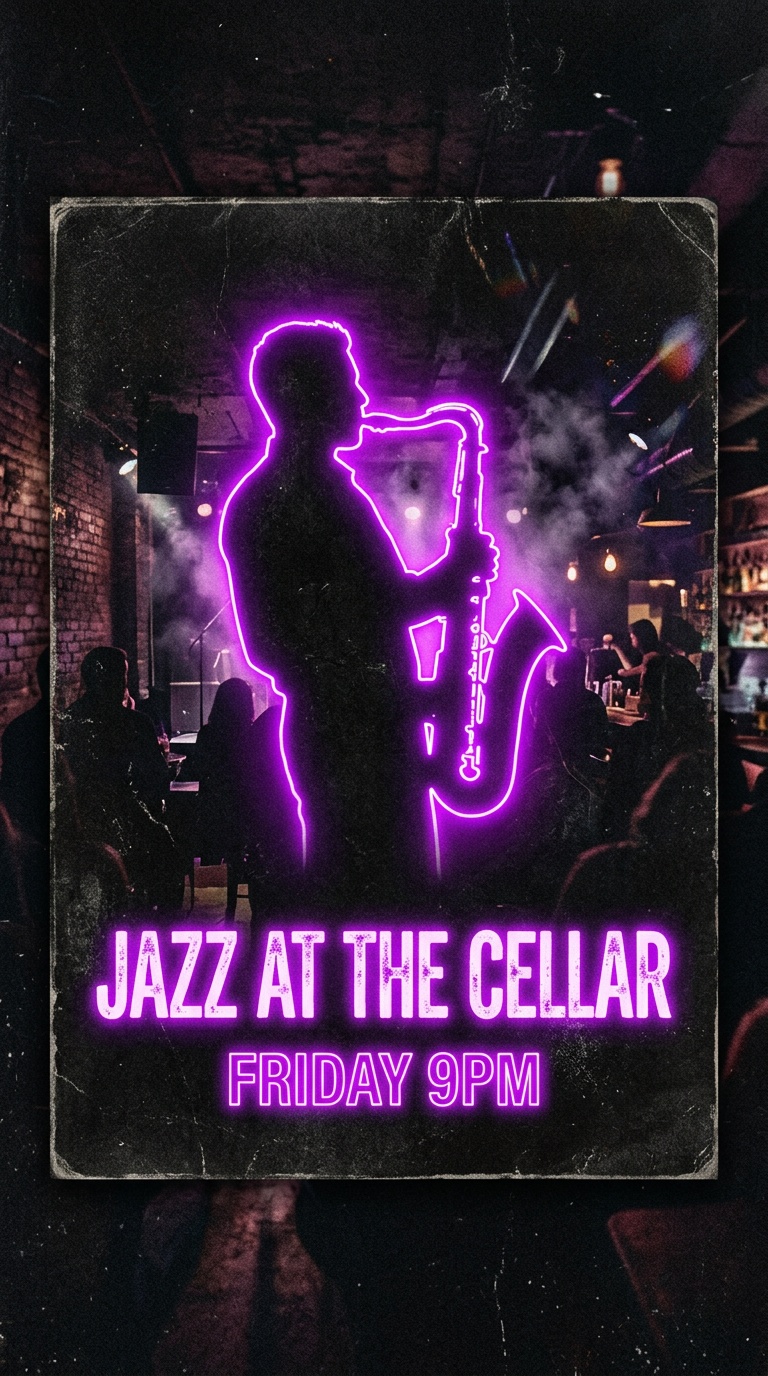
“Gig flyer for a jazz night, saxophone silhouette in neon purple light, text "JAZZ AT THE CELLAR" and "FRIDAY 9PM", grainy texture, dark background”
Make one like this ↑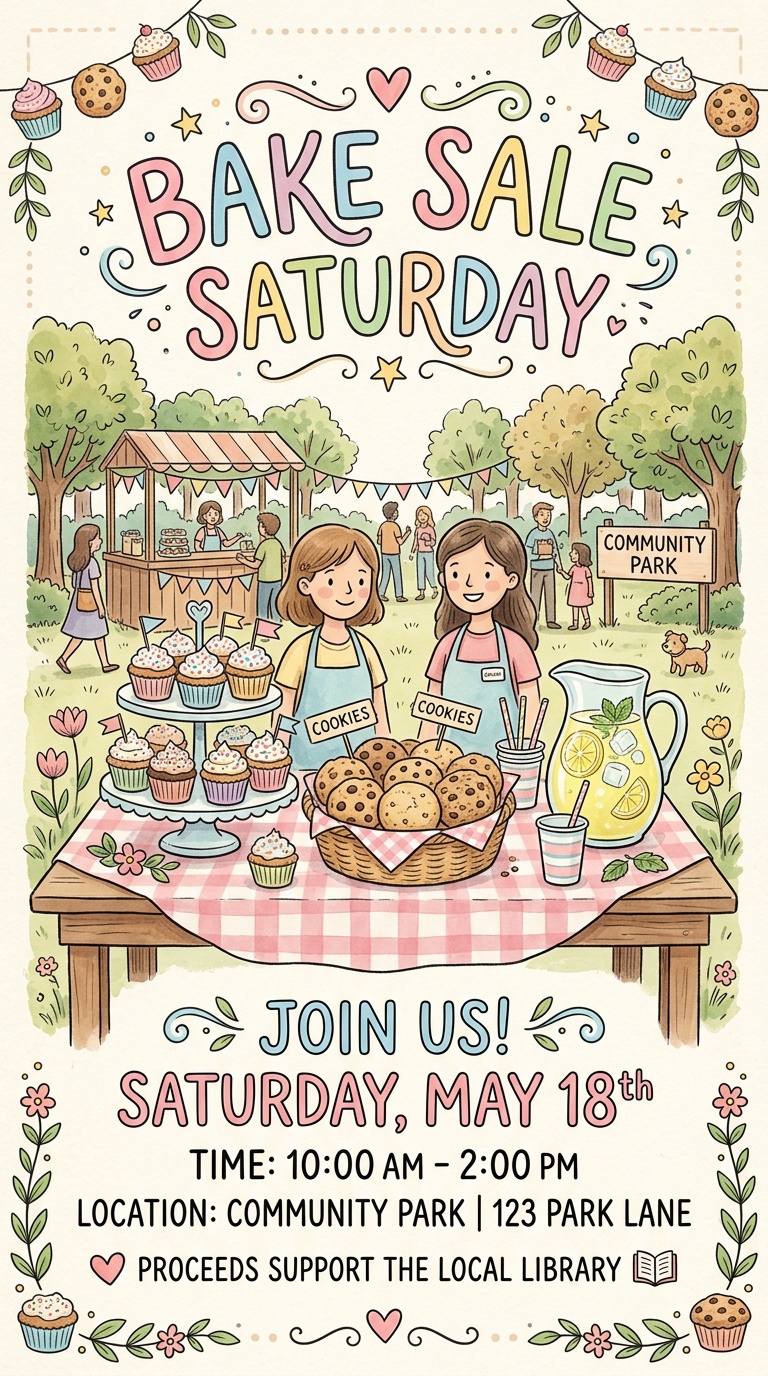
“Cheerful bake sale flyer with cupcakes, cookies and lemonade on a checkered table, hand lettered headline "BAKE SALE SATURDAY", pastel colors”
Make one like this ↑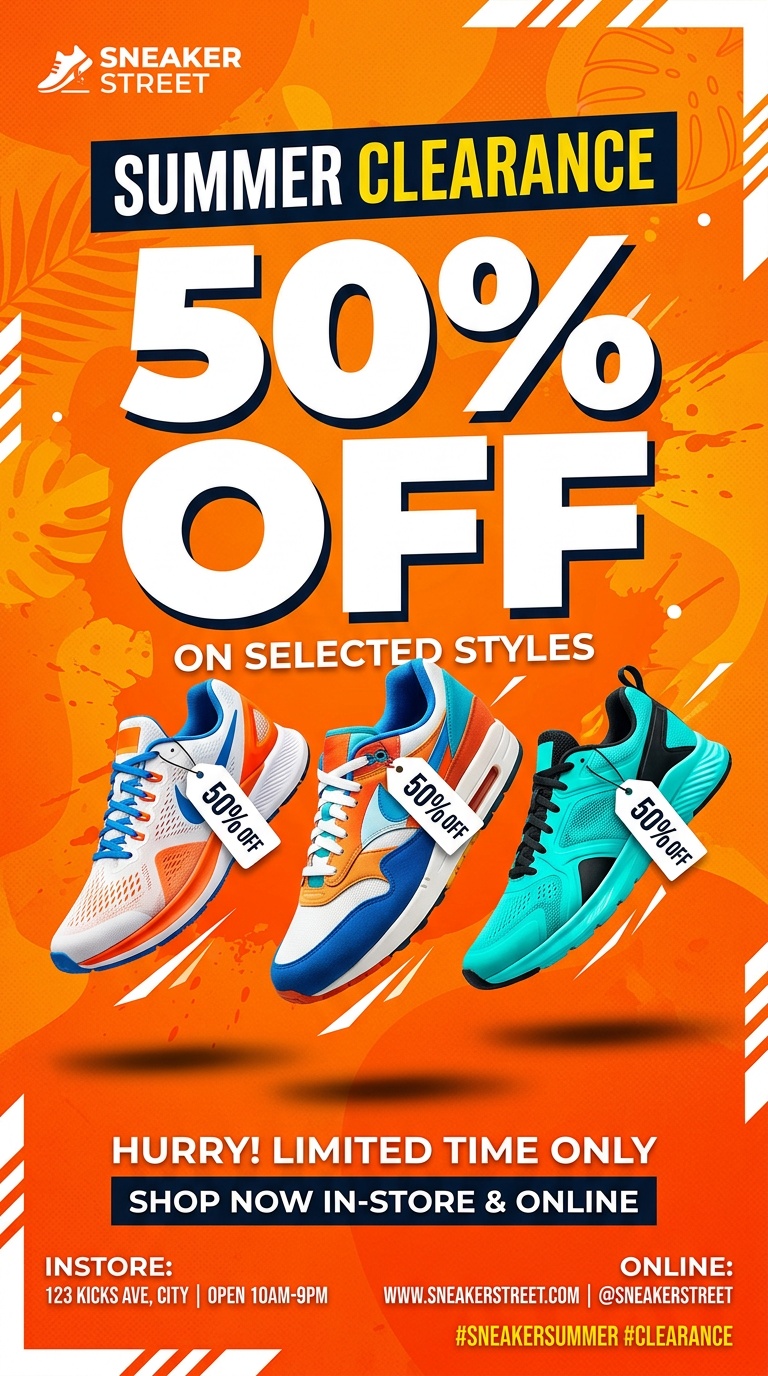
“Summer clearance flyer for a sneaker store, three sneakers floating on a bright orange background, big bold text "50% OFF", clean modern layout”
Make one like this ↑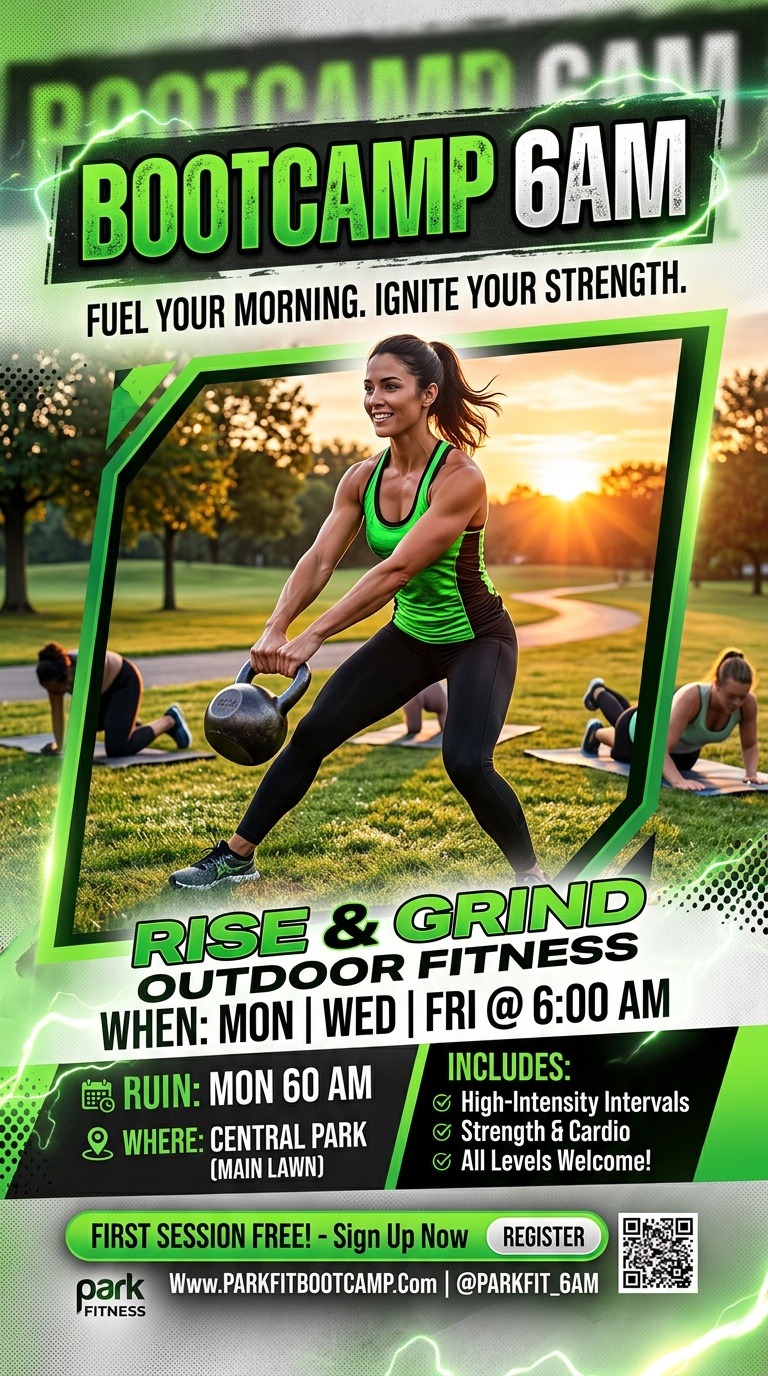
“Flyer for an outdoor bootcamp class in the park at sunrise, woman doing a kettlebell swing, headline "BOOTCAMP 6AM", energetic green and black design”
Make one like this ↑What it does
A whole design from one prompt
There is no template grid to fill in. The tool adds a flyer brief to your description and the model returns a composed design: headline, artwork and layout together. Ask for a different direction by changing a sentence, or run the same prompt on another model to see a different take.
Your logo and photos as references
Attach your logo, a product shot, the band's photo or the venue, and say how to use it. Nano Banana Pro, Nano Banana 2, Flux 2 Pro, Seedream 5 Lite and most other models in the picker accept images. Recraft V4 and Recraft V4 Pro, often good for clean type and brand colors, work from the prompt alone.
Three shapes and a palette picker
Flyers come out in 9:16, 16:9 or 1:1, which suit phone screens, social posts and screens at the venue. None is a US Letter or A4 page, so for printing, scale the design onto the page with a margin. Pick one of the color palettes, from Earth Tones to Midnight Blue, to keep the flyer in your brand colors.
How it works
- 1
Describe what you are promoting
Name the event or offer, the date, place and the one line that matters most, plus the mood: a gritty gig poster, a bright bake sale sign, a clean real estate listing. Put the exact words you need in quotes.
- 2
Attach, pick a model and a shape
Add a logo or photo if you have one. Choose a model, pick 9:16, 16:9 or 1:1, and set how many versions to generate. The tool starts on Nano Banana 2 at 9:16; GPT Image 2 only offers the square option here.
- 3
Choose, fix and download
Compare the versions, then work on the best one from your history: edit it with an instruction, recolor it, erase or replace a detail, or upscale it before printing. Read every line of text once more, then download.
Who it's for
For small businesses
Sale announcements, new menu items and opening hours, made in a few minutes with your own logo and product photo in the design, ready for the shop window or your social accounts.
For event organizers
Gig nights, club parties, church fundraisers and school fairs. Generate several directions, share the 9:16 version on stories and the square one in group chats.
For local services
Cleaners, tutors, trainers and realtors who need a flyer for a noticeboard or a door drop, without hiring a designer for every promotion.
More to try



Frequently asked questions
How is this different from Canva or Adobe Express flyers?
Those tools give you a template with editable text boxes. Here the AI draws the full flyer from your description, so every result is a new design, but the text is part of the image. To change a word, you edit with an instruction or regenerate instead of retyping it.
Will the text on my flyer be correct?
Short headlines usually come out right, and models like Nano Banana 2 and Recraft V4 are good at lettering. Long details such as full addresses or phone numbers are where mistakes happen, so keep text short and check spelling before printing.
What sizes can I make?
9:16, 16:9 and 1:1. There is no letter or A4 option, so for print, place the design on your page size with a border, or use the square or tall version as part of a larger layout.
Can I add my logo?
Yes, attach it as a reference image on any model that accepts images and describe where it should sit. The model redraws it inside the design, so compare it with your original logo before you print.
Are there flyer templates?
There are no fixed style presets for flyers, but the Explore tab shows example flyers with the prompts used to make them. Open one to recreate it with your own details.
What does it cost?
Generating needs a signed in account and uses credits. The cost depends on the model and how many versions you ask for, and it shows on the Generate button before you run it.
Make your own
The generator is at the top of this page. The price shows on the Generate button before you start.
Back to the tool