
AI YouTube Thumbnail Maker
 Logo
 Poster
 Instagram Post
 Instagram Story
 T-Shirt
 Branding
 Card & Invite
 Flyer
 Infographic
 Design Mockup
 Sticker
 Icon
 Wallpaper
 Pattern
 Book Cover
 Album Cover
 Meme
 Emoji
 Tattoo
 Signature
 Slide
 YouTube Thumbnail
No youtube thumbnail templates available
Design tool · YouTube thumbnails
Describe the video, attach your own photo if you want to be in the frame, and get 16:9 thumbnail options to test against each other.
This tool designs thumbnails for one canvas only: YouTube's 16:9 frame. You write what the video is about and how the thumbnail should feel, the tool adds a thumbnail brief to your prompt, and the model you pick returns up to five takes at once (fewer on some models). If you want your face, your product or your channel logo in the shot, attach the photo and the model builds the design around it. Short headline text can be part of the prompt, but AI lettering is not always exact, so read every word before you upload.
Examples
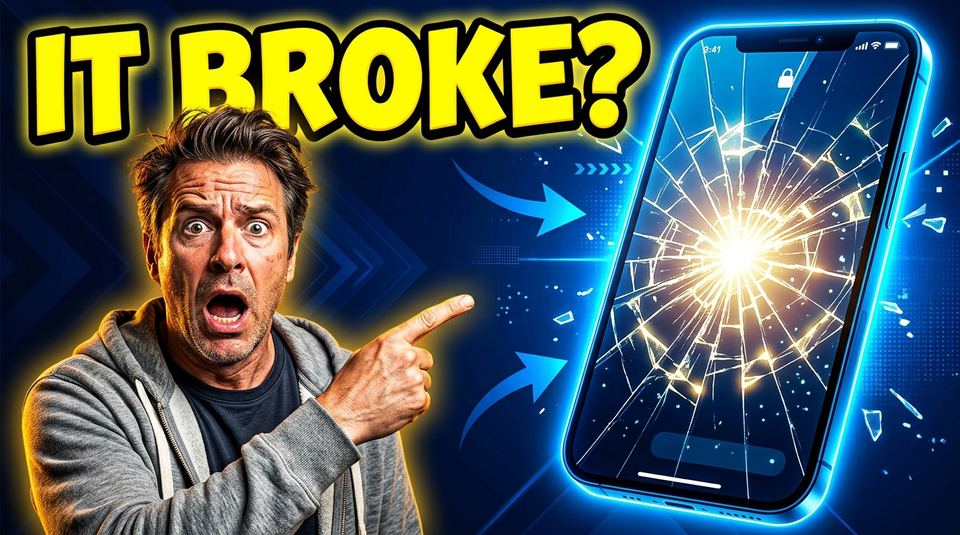
“Shocked man on the left pointing at a giant glowing smartphone with a cracked screen on the right, bold yellow headline "IT BROKE?", dark blue background, high contrast”
Make one like this ↑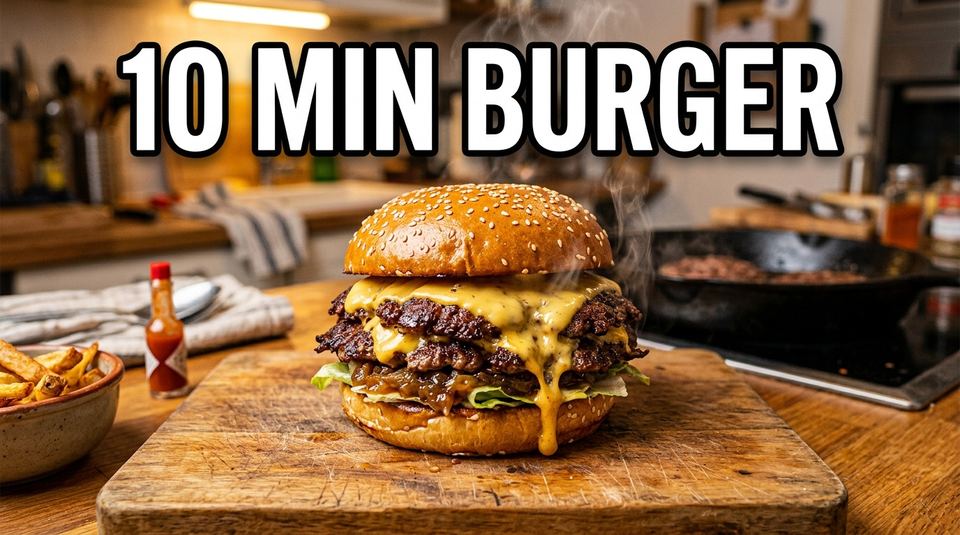
“Overhead shot of a crispy smash burger dripping cheese, steam rising, big white text "10 MIN BURGER" with black outline, warm kitchen light”
Make one like this ↑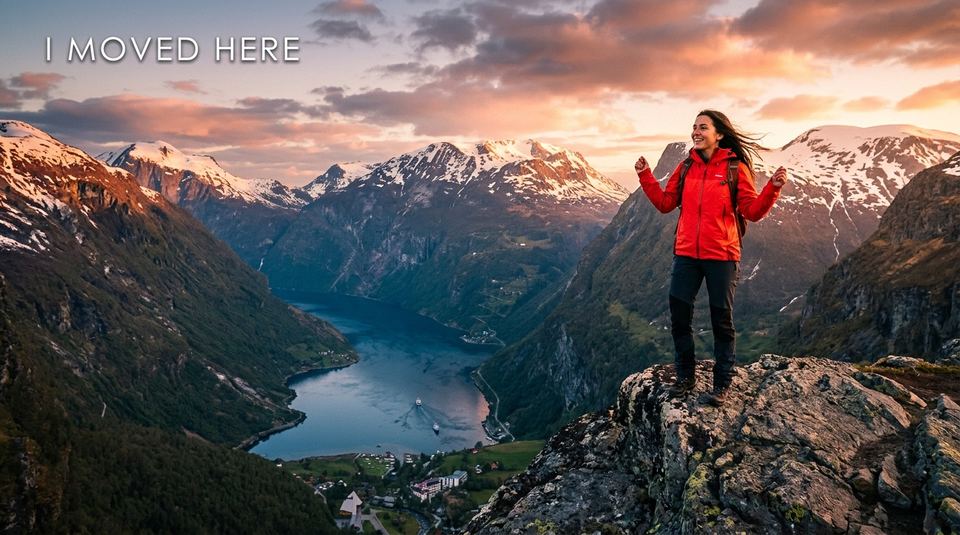
“Woman in a red jacket standing on a cliff above Norwegian fjords at sunrise, small text "I MOVED HERE" in the top corner, cinematic color grade”
Make one like this ↑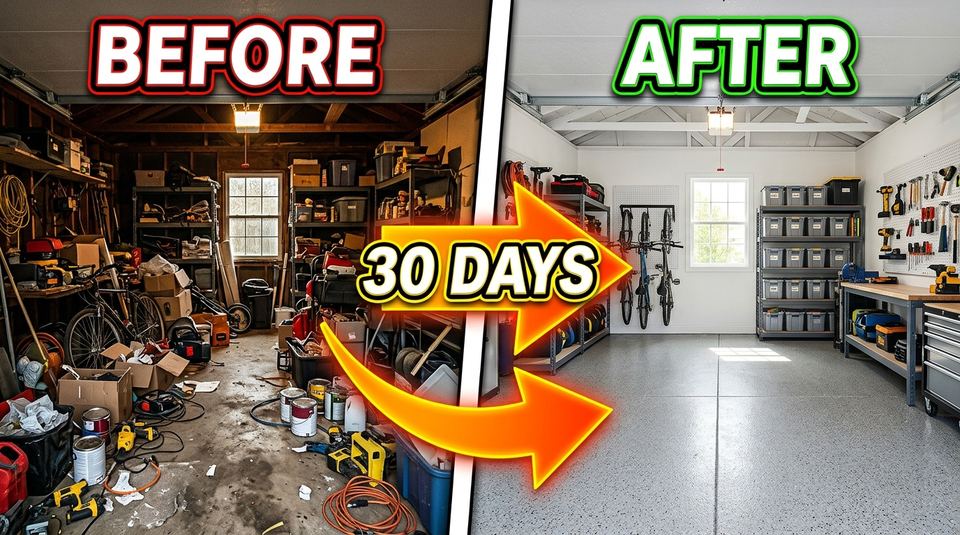
“Split screen thumbnail, left side a cluttered messy garage, right side the same garage clean and organized, bright arrow between them, text "30 DAYS"”
Make one like this ↑What it does
Locked to 16:9
The thumbnail tool only offers 16:9, so every result fits YouTube's player and search grid without cropping. The model picker only lists models that can draw 16:9, such as Nano Banana 2 (the default), Nano Banana Pro, Flux 2 Pro, Grok Imagine and Recraft V4.
Your photo in the thumbnail
Attach one or more reference images, like a shot of you reacting, the gadget you reviewed, or your channel logo, and describe where it goes. Most models in the picker accept images; Recraft V4, Recraft V4 Pro and Stable Diffusion 3.5 are prompt only, and the attach button disappears when one of them is selected.
Variants, then fixes on the same screen
Generate up to five versions in one run (some models cap it lower) to compare hooks side by side. When one is close, keep working on it from your history: edit it with an instruction, recolor it, erase a stray object, remove the background, remove text that came out wrong, or upscale the winner.
How it works
- 1
Write the hook
Say what the video is about, what the viewer should feel, and what sits where. For example: a shocked face on the left, a giant red arrow, and a two or three word headline on the right. Fewer words render more reliably.
- 2
Attach your photo and pick a model
Drop in a clear photo of your face or product if it should appear. Choose a model that offers 16:9, set how many versions you want, and optionally pick a color palette so the thumbnail matches your channel's colors.
- 3
Compare, fix, download
Put the versions next to each other at small size, the way viewers will see them. Edit the best one with a follow-up instruction, check the spelling of any text, then download it and upload it in YouTube Studio.
Who it's for
For solo YouTubers
Get a thumbnail made in the same sitting as the upload, with your own face in it, instead of opening a layout editor and cutting yourself out of a photo by hand.
For channels that test thumbnails
Make three or four different hooks for the same video, like a face, an object or a before and after split, and run them through YouTube's thumbnail test to see which one earns the click.
For editors and channel managers
Turn a creator's one line idea and a reference photo into options for them to choose from, and keep every version in the tool's history to come back to.
More to try


Frequently asked questions
What size are the thumbnails?
16:9, the shape YouTube displays. The tool offers no other ratio, so pick a model that supports 16:9 (Nano Banana Pro, Nano Banana 2, Flux 2 Pro, Grok Imagine, Seedream 5 Lite and Recraft V4 all do).
Can I put my face in the thumbnail?
Yes. Attach a photo of yourself and describe the pose and placement you want. A well lit, front facing photo gives the model the most to work with. The attach button only shows on models that accept images.
Will the text on the thumbnail be spelled correctly?
Usually for short headlines, not always. Models like Nano Banana 2 and Recraft V4 handle lettering well, but AI can still drop or swap a letter. Keep the text to a few words, put it in quotes in your prompt, and check it before you publish.
Are there thumbnail style presets?
No preset styles for thumbnails. You describe the look in the prompt (bold, clean, cinematic, cartoon) and can add one of the color palettes, which range from simple sets like Vibrant and Warm Tones to film inspired ones like Wes Anderson.
Do I need an account?
You can open the tool and write your prompt without one. Generating asks you to sign in, and each run uses credits; the price for the model and number of versions you picked shows on the Generate button.
Can I start from someone else's design?
Yes. The Explore tab shows example thumbnails made with this tool, each with its prompt. Open one to recreate it, then swap in your own topic and photo.
Make your own
The generator is at the top of this page. The price shows on the Generate button before you start.
Back to the tool