
AI Book Cover Generator
 Logo
 Poster
 Instagram Post
 Instagram Story
 T-Shirt
 Branding
 Card & Invite
 Flyer
 Infographic
 Design Mockup
 Sticker
 Icon
 Wallpaper
 Pattern
 Book Cover
 Album Cover
 Meme
 Emoji
 Tattoo
 Signature
 Slide
 YouTube Thumbnail
No book cover templates available
Design tool · Book covers
Write your title, author name and the scene, choose a genre, and get front cover designs to compare side by side.
This tool designs the front cover of a book from a short brief. You write the title and author name in your prompt along with the scene, and the tool adds a book cover brief that asks for a flat cover design with no mockup, so you get the artwork itself rather than a photo of a printed book. Pick one of ten genre styles, add a color palette, and ask for several covers at once. The model usually writes the title and author name on the cover in readable lettering, but AI text can still slip, so check every letter. The tool makes the front cover only, with no spine or back cover.
Examples
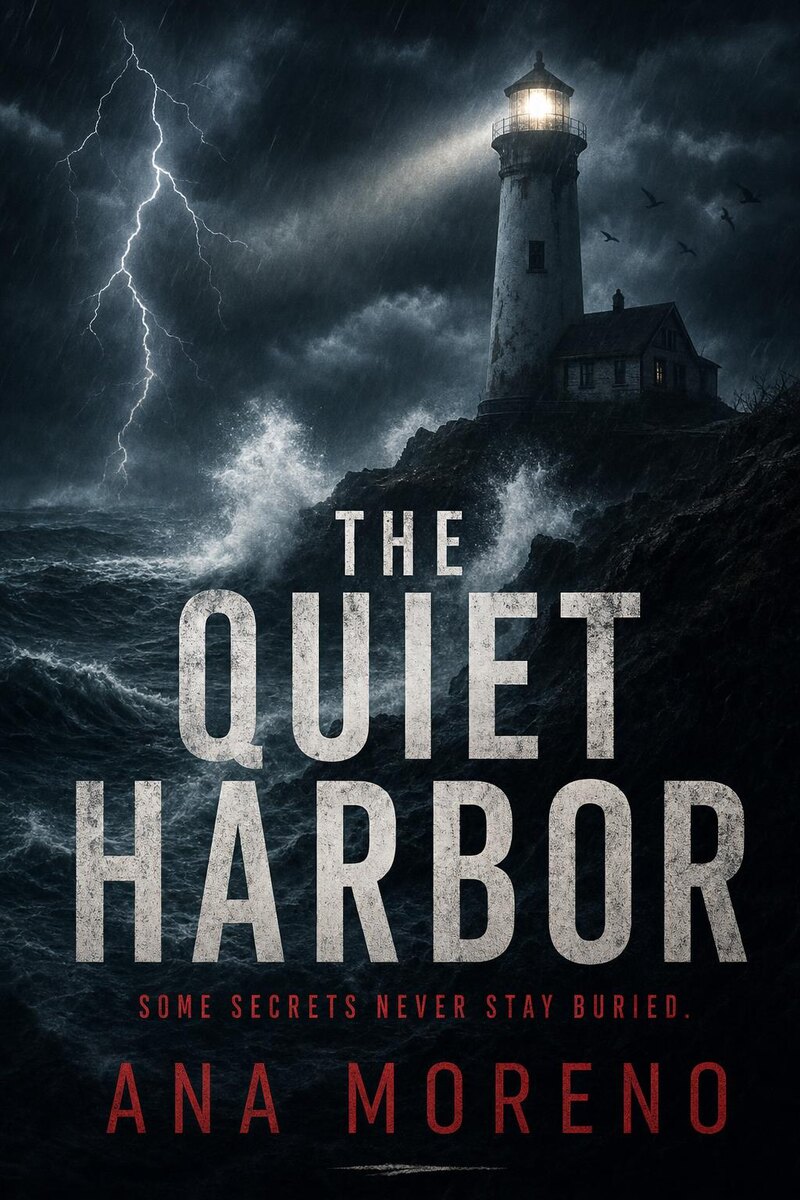
“a thriller titled 'The Quiet Harbor' by Ana Moreno, a lighthouse in a storm at night”
Make one like this ↑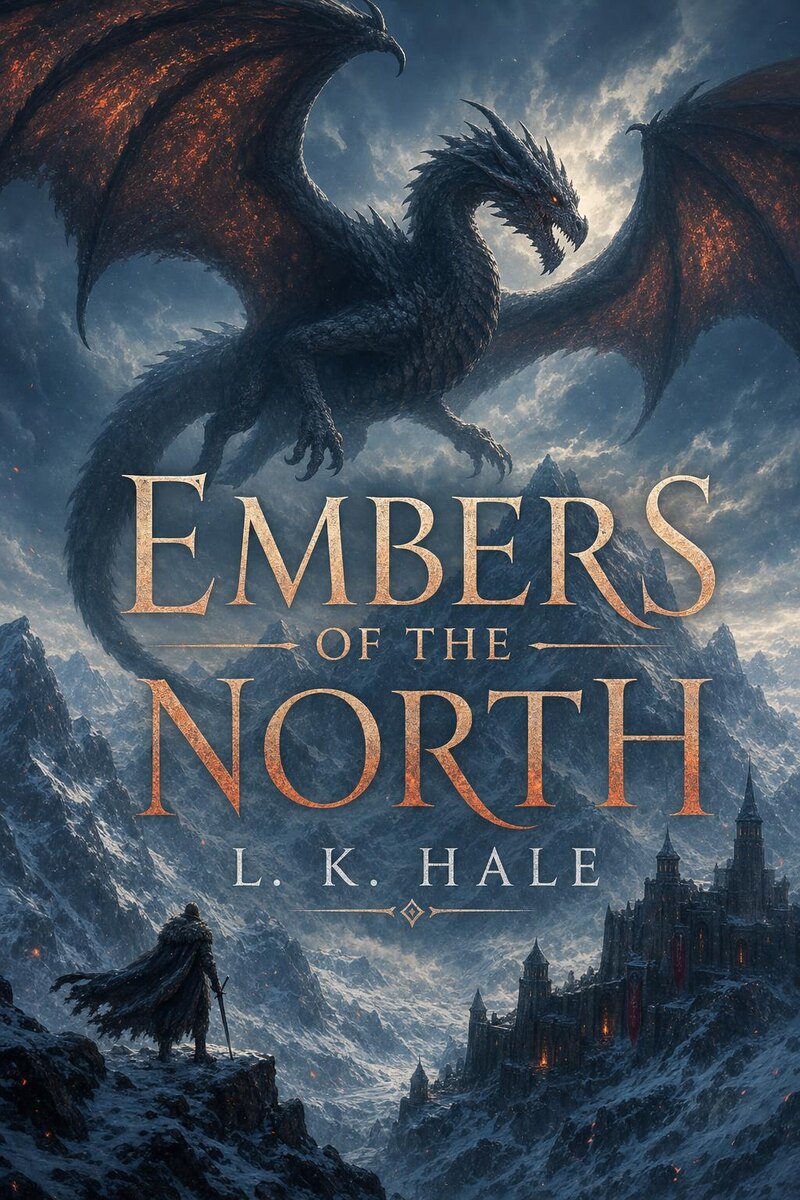
“a fantasy novel titled 'Embers of the North' by L. K. Hale, a dragon over snowy mountains”
Make one like this ↑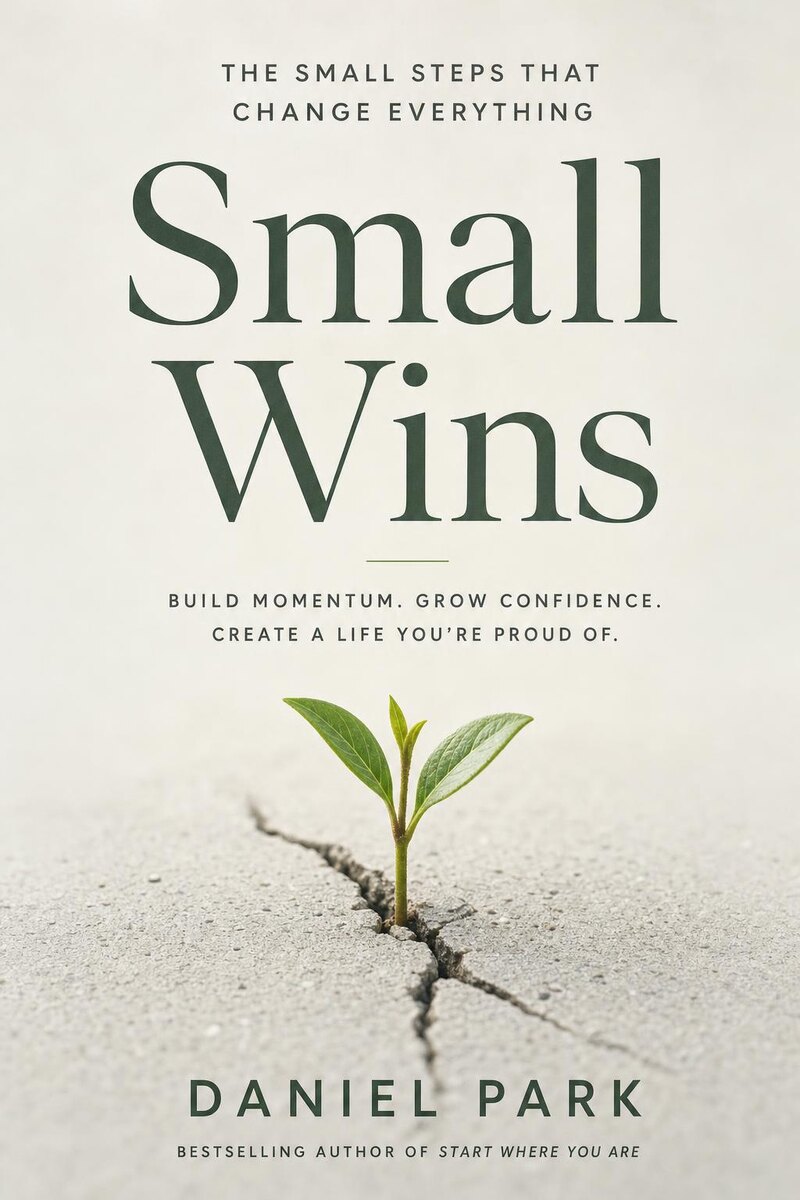
“a self-help book titled 'Small Wins' by Daniel Park, a single sprout growing through a crack in concrete”
Make one like this ↑
“a romance novel titled 'Summer in Lisbon' by Clara Mendes, a couple on a yellow tram at sunset”
Make one like this ↑What it does
Ten genre styles
Choose Fiction, Nonfiction, Fantasy, Romance, Thriller, Self-Help, Sci-Fi, Mystery, Historical or Young Adult. The genre is added to your prompt, so the same title can be tried as a dark Thriller cover and a lighter Mystery one before you settle on how the book should look on a shelf.
2:3 and 3:4 covers
Covers come in 2:3, the shape of most paperbacks and ebook covers, or 3:4. GPT Image 2, the default model, draws 2:3. Nano Banana Pro, Nano Banana 2, Flux 2 Pro and Grok Imagine offer both, and most other models in the picker draw 3:4 only.
Fix the lettering after
Open a cover from your history and use the Text menu: Change Text corrects a misspelled title or name, Add Text puts on a subtitle or series name, and Remove Text clears the lettering so you can set the type yourself in your own design software.
How it works
- 1
Write the brief
Name the genre, put the title and author in quotes, then describe one strong image: a thriller titled 'The Quiet Harbor' by Ana Moreno, a lighthouse in a storm at night. One clear scene reads better at thumbnail size than a crowded one.
- 2
Pick a genre, shape and count
Choose the genre style that matches your book, then 2:3 or 3:4. Add a palette like Midnight Blue or Golden Hour if you have a mood in mind, pick a model and set how many covers to see in one run.
- 3
Check, refine and download
Zoom in and read the title and author name on every cover. Fix any wrong letter with Change Text, upscale the one you choose for print, then download it.
Who it's for
For self-published authors
See several cover directions for your novel or guide before you hire a cover designer, or use the one you like as the ebook cover for a first release.
For series and pen names
Keep the same genre style and palette across books, and reuse a cover's settings with a new title so the second book looks like it belongs next to the first.
For writers still drafting
Make a working cover for a manuscript, a pitch to an agent, a newsletter announcement or a Wattpad story, then change it once the book is done.
More to try



Frequently asked questions
Will the title and author name be spelled correctly?
Usually, especially with short titles and models that are good at lettering such as GPT Image 2 and Nano Banana Pro. AI can still swap or drop a letter, so read every cover closely and fix mistakes with Change Text or by generating again.
Can I make a full paperback wrap with spine and back cover?
No. The tool makes the front cover only. For a printed paperback, your printer gives you a template with the spine width for your page count; place the front cover into it in your design software or hand it to a designer.
What size should an ebook or print cover be?
Pick 2:3, the usual shape for ebooks and many paperback trims. Each store and printer lists its own pixel size and trim sizes, so check their requirements and upscale the cover before you upload it.
Can I use the cover to publish my book?
The cover is a new image made from your prompt, but read the rules of the store you publish on. Some, such as Amazon KDP, ask you to say when a cover was made with AI, and AI art can resemble existing covers or artwork.
Do I need an account?
You can open the tool and write your brief without one. Generating asks you to sign in and uses credits, and the price for the model and number of covers shows on the Generate button. The Explore tab shows example covers with their prompts.
Make your own
The generator is at the top of this page. The price shows on the Generate button before you start.
Back to the tool